

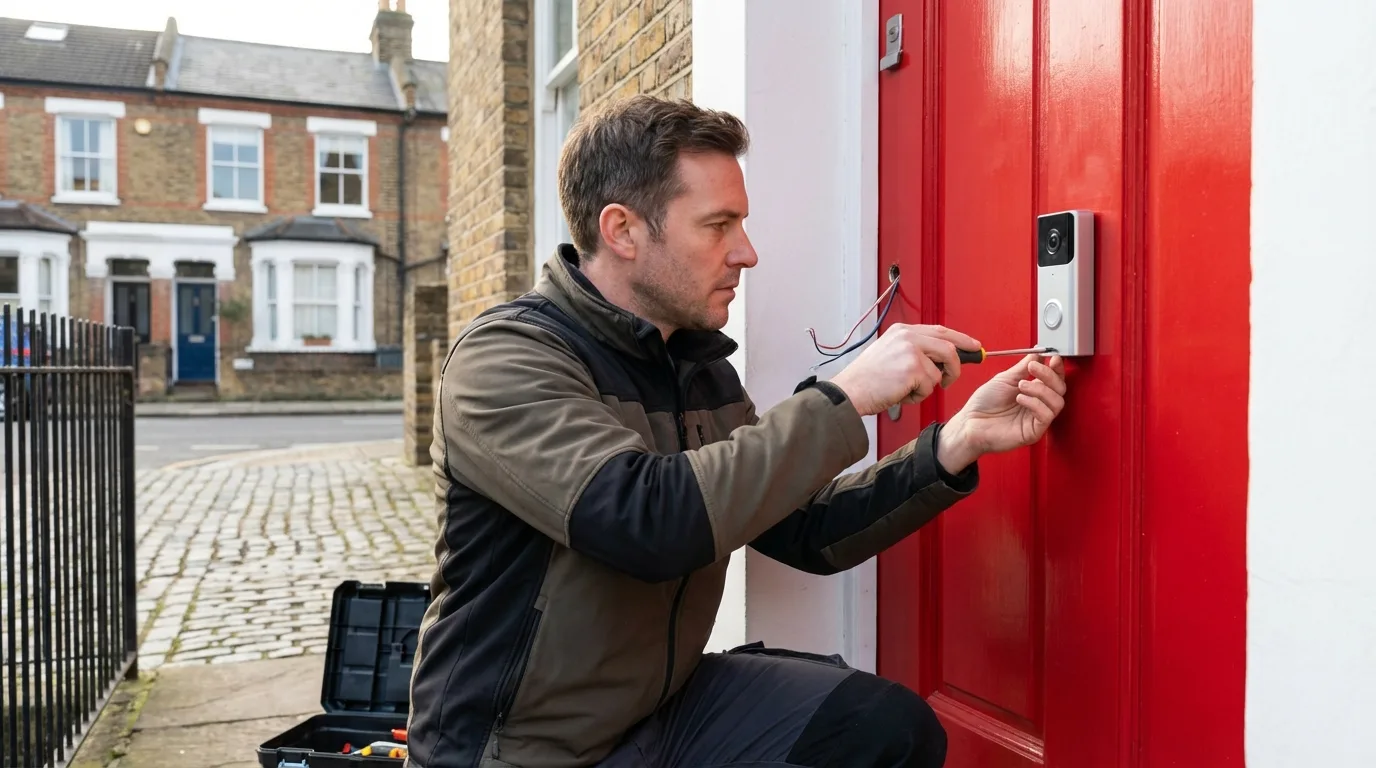
The UK smart home security market has grown substantially, with doorbell cameras, outdoor CCTV systems, and indoor motion sensors now common across residential properties. Ring (Amazon) and Google Nest dominate the consumer doorbell camera market; for comprehensive CCTV, brands including Reolink, Hikvision, and Arlo are widely used. But alongside the technology questions — resolution, storage, app quality — there is a regulatory layer that UK homeowners frequently underestimate. The Information Commissioner's Office (ICO) has made clear that domestic CCTV recording shared areas like streets, pavements, or neighbours' properties falls within UK GDPR.
Ring vs Google Nest: A Practical Comparison
Both Ring and Google Nest offer wired and battery-powered video doorbell options with similar core features. Key differences:
| Feature | Ring Video Doorbell (2024/2025) | Google Nest Doorbell |
|---|---|---|
| Video resolution | 1080p–1536p (model-dependent) | 960p (battery) / 1080p (wired) |
| Cloud storage | Ring Protect Plan (from £3.49/mo) | Google Home Aware (from £5/mo) |
| Local storage | Not available (cloud only) | 3 hours of event video (battery, local) |
| Power options | Battery, wired, hardwired | Battery or wired |
| Ecosystem integration | Amazon Alexa, Ring app | Google Home, Google Assistant |
| Facial recognition (UK) | Familiar Faces (subscribers) | Familiar Faces (subscribers) |
| Hardware cost (2026) | £80–£230 | £100–£180 |
For most UK homeowners, the choice between Ring and Nest comes down to existing smart home ecosystem: if you use Alexa and Amazon devices, Ring integrates more smoothly; if you use Google Assistant and Chromecast, Nest is the more coherent choice. Video quality between comparable models is broadly similar; the cloud subscription cost and terms matter more over time than hardware price.
UK GDPR and Domestic CCTV: What You Need to Know
A common misconception is that domestic CCTV is entirely exempt from data protection law. The reality is more nuanced. Under UK GDPR and the Data Protection Act 2018, the "domestic purposes exemption" applies only to cameras that capture footage purely within your own property boundary. If your camera captures images of:
- Public streets or pavements
- Shared driveways, communal areas, or neighbouring properties
- Neighbouring gardens or windows
...then the footage is personal data captured about identifiable individuals, and you take on data controller obligations. The ICO's CCTV guidance for households states that in this scenario you should: have a legitimate purpose for capturing the footage, keep footage for no longer than necessary (typically 14–31 days), and respond appropriately to subject access requests from neighbours who appear in recordings.
ICO Enforcement: What Can Go Wrong
The ICO has investigated and issued enforcement notices against homeowners whose CCTV systems covered neighbouring properties in ways deemed disproportionate — particularly where cameras were pointed at neighbours' gardens or windows rather than aimed at the homeowner's own front door or driveway. Formal ICO complaints from neighbours can result in enforcement notices requiring cameras to be repositioned or disabled. Position cameras to minimise coverage of shared or public areas wherever possible.
Planning Permission for External Security Cameras
In most cases, fitting external cameras to a residential property in England does not require planning permission under Permitted Development Rights. Exceptions apply in:
- Listed buildings — any external alteration, including camera fixings, requires Listed Building Consent
- Conservation Areas — local planning authorities may have Article 4 Directions restricting external alterations; check with your local planning authority before installation
- Flats — cameras affecting shared external areas of apartment buildings may require landlord or management company permission under the lease
CCTV Systems Beyond Doorbells: Reolink, Hikvision, and Arlo
For full perimeter coverage, standalone CCTV systems with multiple cameras offer more flexibility than doorbell cameras alone. Key considerations:
- Reolink: Strong value-for-money option; most models support both cloud and local NVR/microSD storage, which is important for UK data protection compliance. 4K resolution models widely available from £60–£120 per camera.
- Hikvision: Professional-grade systems, widely used by UK security installers. Requires more setup but offers local storage (NVR) without mandatory cloud subscriptions. Note: Hikvision equipment sourced from mainland China has been the subject of government procurement restrictions; check current guidance for commercial use.
- Arlo: Strong for wireless, battery-powered installations with no wiring needed. Cloud subscription model (Arlo Secure from £2.99/mo per camera). Good app and integration with other smart home systems.
What Actually Deters Burglars: Evidence-Based Approach
UK Home Office crime prevention research and police guidance consistently indicates that the most effective residential deterrents are: visible, well-lit CCTV cameras at entry points; robust physical security (BS3621-certified five-lever mortice deadlocks, anti-snap cylinders); timer-controlled interior lighting when unoccupied; and active participation in Neighbourhood Watch schemes. CCTV contributes to deterrence through visibility and aids investigation if a crime does occur — but physical security and lighting typically deliver higher deterrence effect per pound spent.
UK Smart Home Security Setup Checklist
1. Position cameras to cover your own property boundary; minimise coverage of public areas. 2. Check with local planning authority if property is listed or in a Conservation Area. 3. Set video retention period to 14–31 days and delete footage thereafter. 4. Enable two-factor authentication on all camera apps and accounts — Ring and Nest accounts have been targeted by credential-stuffing attacks. 5. Ensure your Wi-Fi password is strong and your router firmware is up to date — most home cameras connect over your home network. 6. Place visible CCTV warning notices at property entry points (ICO guidance recommends this for systems covering public areas). 7. Read your Ring or Nest cloud subscription terms — understand what footage Amazon or Google holds, for how long, and under what conditions it may be shared.